
Vapor
A downloadable vapor for Windows
Vapor
A minimal, flat, DRM-free game launcher for Windows.
Your games. Your library. No strings attached.
What is Vapor?
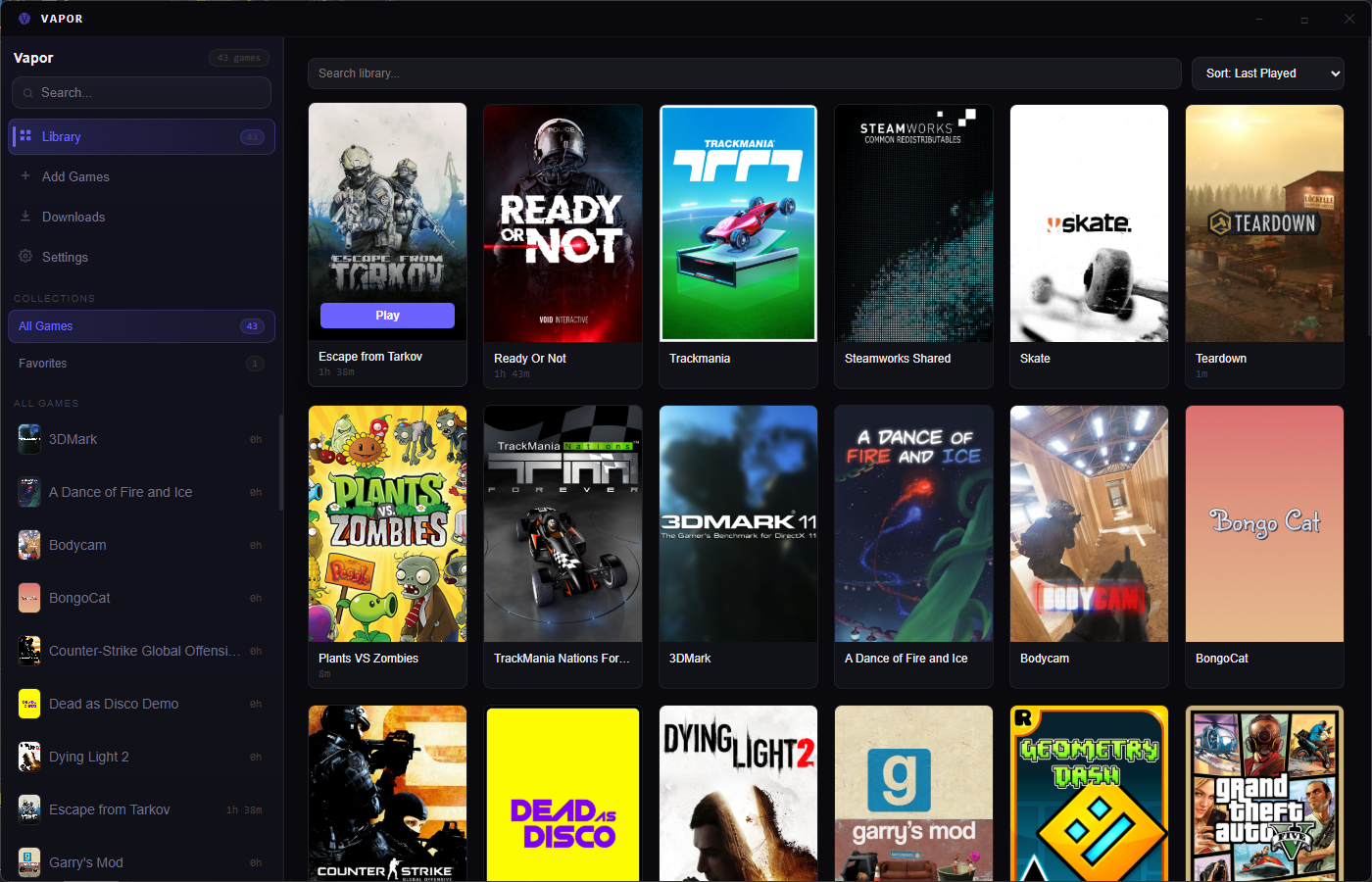
Vapor is a lightweight, open-source game launcher designed for players who want control over their game library without the bloat of mainstream platforms. Point it at a folder, and it automatically finds your games, fetches beautiful cover art, and gets out of your way.
No accounts. No DRM. Just your games.
Features
Zero-Friction Setup
Drop Vapor into any folder containing your games. It recursively scans for executables, intelligently picking the main game file while filtering out installers, uninstallers, and crash reporters.
SteamGridDB Integration
Your library looks good. Vapor automatically fetches cover art, hero banners, logos, and icons from SteamGridDB for a polished, visual browsing experience.
Playtime Tracking
Know how long you've played. Session tracking auto-saves your playtime, so you never lose track of your gaming history.
Collections
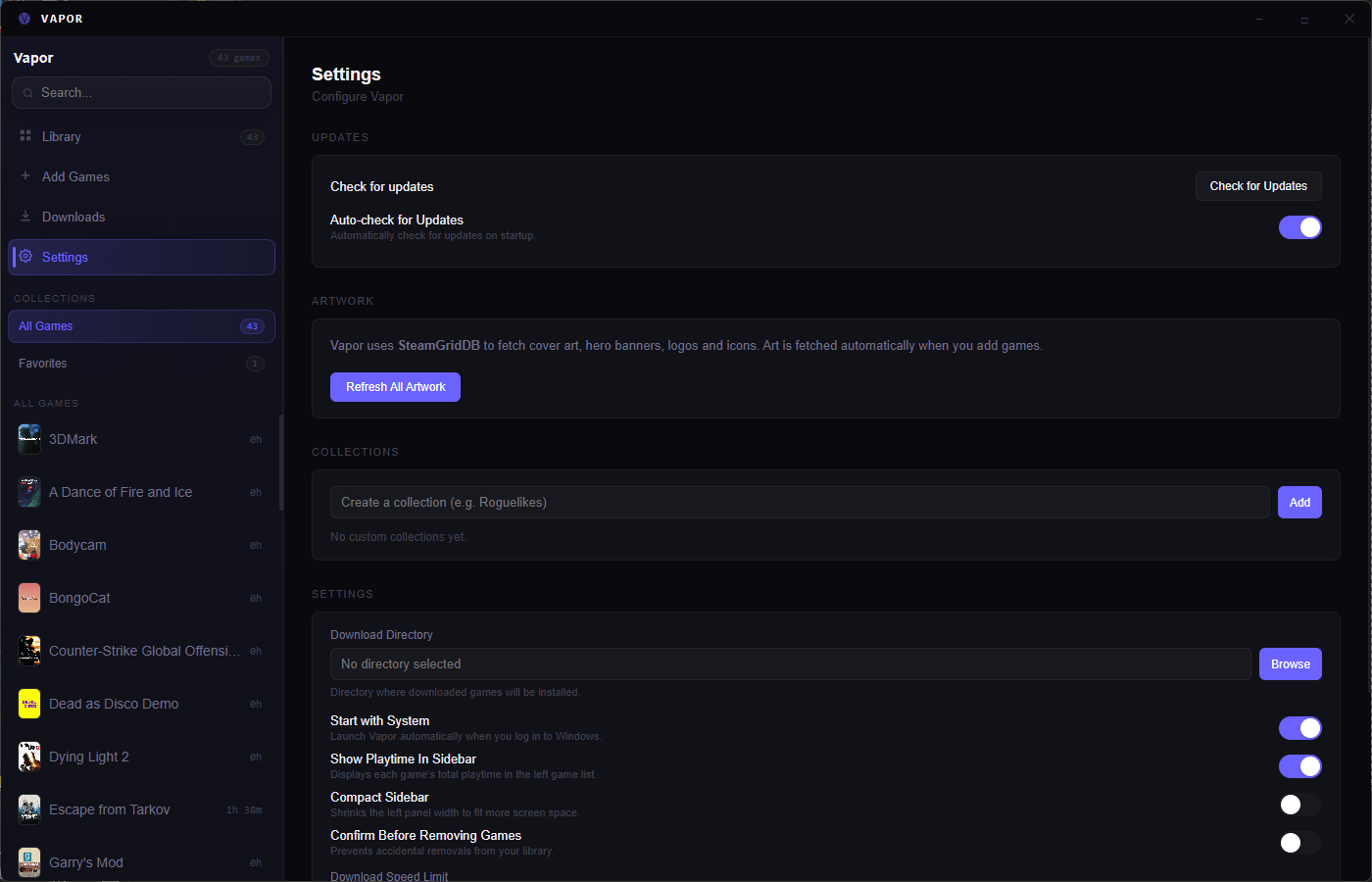
Organize your library however you want. Create collections like "RPGs," "Finished," or "Always Return To" to keep things tidy.
Multiple Library Paths
Add game folders from different drives or locations. Vapor scans them all and presents a unified library.
Per-Game Environment Variables
Configure custom launch options, mod paths, or game-specific settings on a per-game basis.
Built-in Torrent Downloads
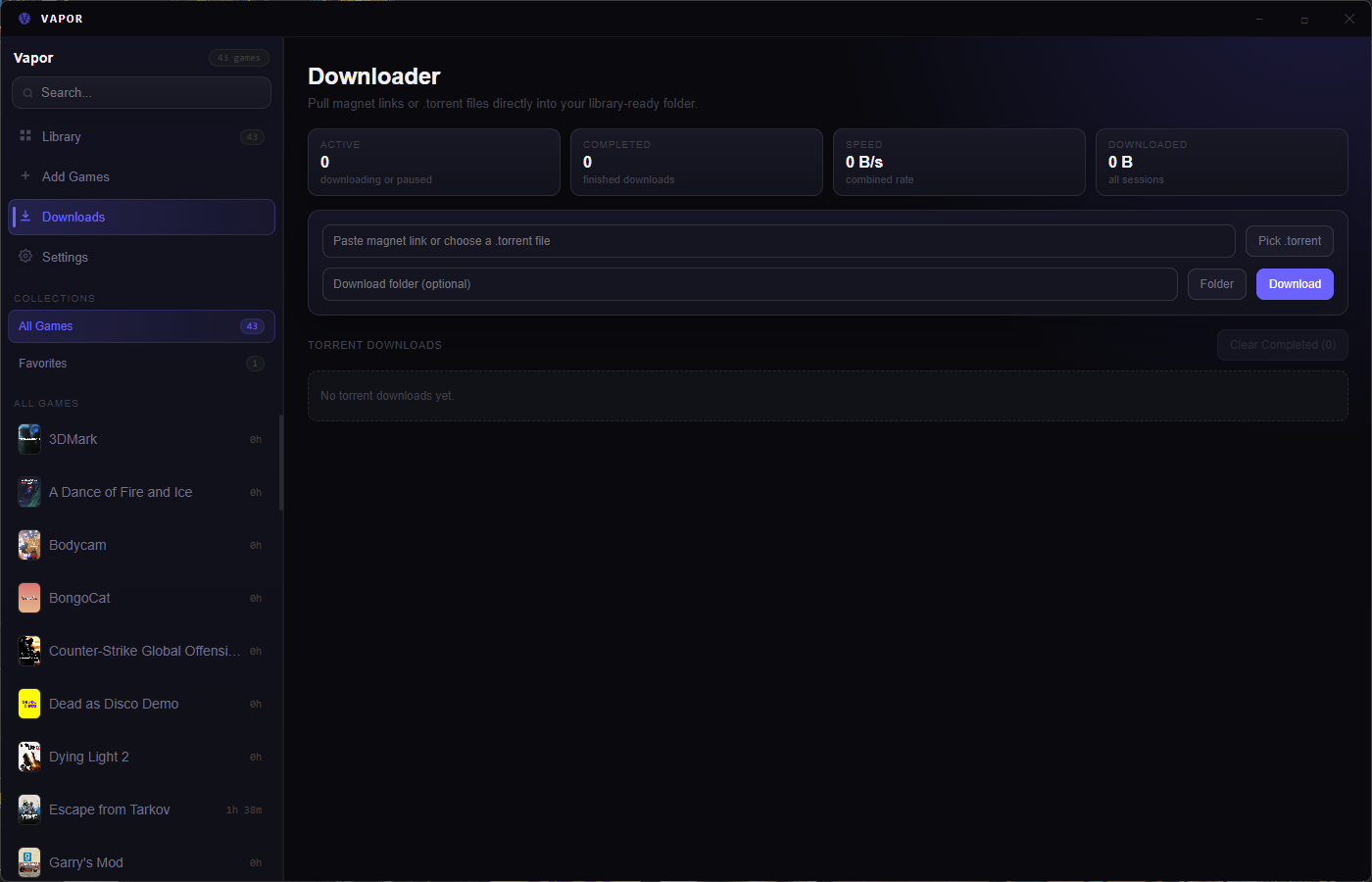
Download games directly in Vapor using magnet links. No need for a separate torrent client.
System Tray & Auto-Start
Minimize to tray, restore with a double-click. Optional auto-start with Windows login.
Automatic Updates
Stays up to date automatically via GitHub Releases.
Quick Start
1. Download the latest release
2. Run the installer
3. Point Vapor at your games folder
4. Launch
That's it.
Your Data, Your Rules
Vapor stores everything locally in %APPDATA%\vapor\:
- games.json — Your game library
- settings.json — Your preferences
No cloud accounts. No telemetry. No nonsense.
Free and Open Source
Vapor is built with Electron, React, and Vite. Contributions welcome.
Download and reclaim your library.
Download
Install instructions
1. Go to the github page from the download Button
2. Download the latest setup version
3. Run and select the installation folder
4. Install and enjoy
Leave a comment
Log in with itch.io to leave a comment.